

Product Hunt gallery images are 1270 × 760 px and the thumbnail is 240 × 240 px. Each file has to be under 3 MB, and the gallery needs at least two images before it shows at all. Those are the only hard numbers. The rest of this guide is about what goes in the images, because on launch day the gallery does most of the explaining for you.
Product Hunt image sizes
| Asset | Size | Notes |
|---|---|---|
| Thumbnail | 240 × 240 | Square. GIF allowed, under 3 MB |
| Gallery image | 1270 × 760 | About 5:3. Two or more, under 3 MB each |
| Video | YouTube link | Full URL, public before launch |
| Interactive demo | Link | Arcade, Storylane, Supademo and others |
1270 × 760 is wider than 4:3 and narrower than 16:9, so a screenshot straight off your laptop (16:10) won't fit without bars or a crop. Make the canvas the right shape first, then put the screenshot in it. For a sharper result, make it at twice the size, 2540 × 1520, which is the same shape.
What the first gallery image has to do
The first gallery image is the one people see before they decide to scroll. It should answer one question: what is this? Show the product doing its main job, with a line of text that says it in plain words.
- Show the real product. A screenshot of the screen people will use, not a logo on a gradient.
- One line of text, six words or fewer. "Know what runs out next week" beats a feature list.
- Show where it runs. A laptop and a phone together tells people it works on both before they read a word.
- Keep it clear of the edges. Leave a margin all round so nothing important sits against the frame.
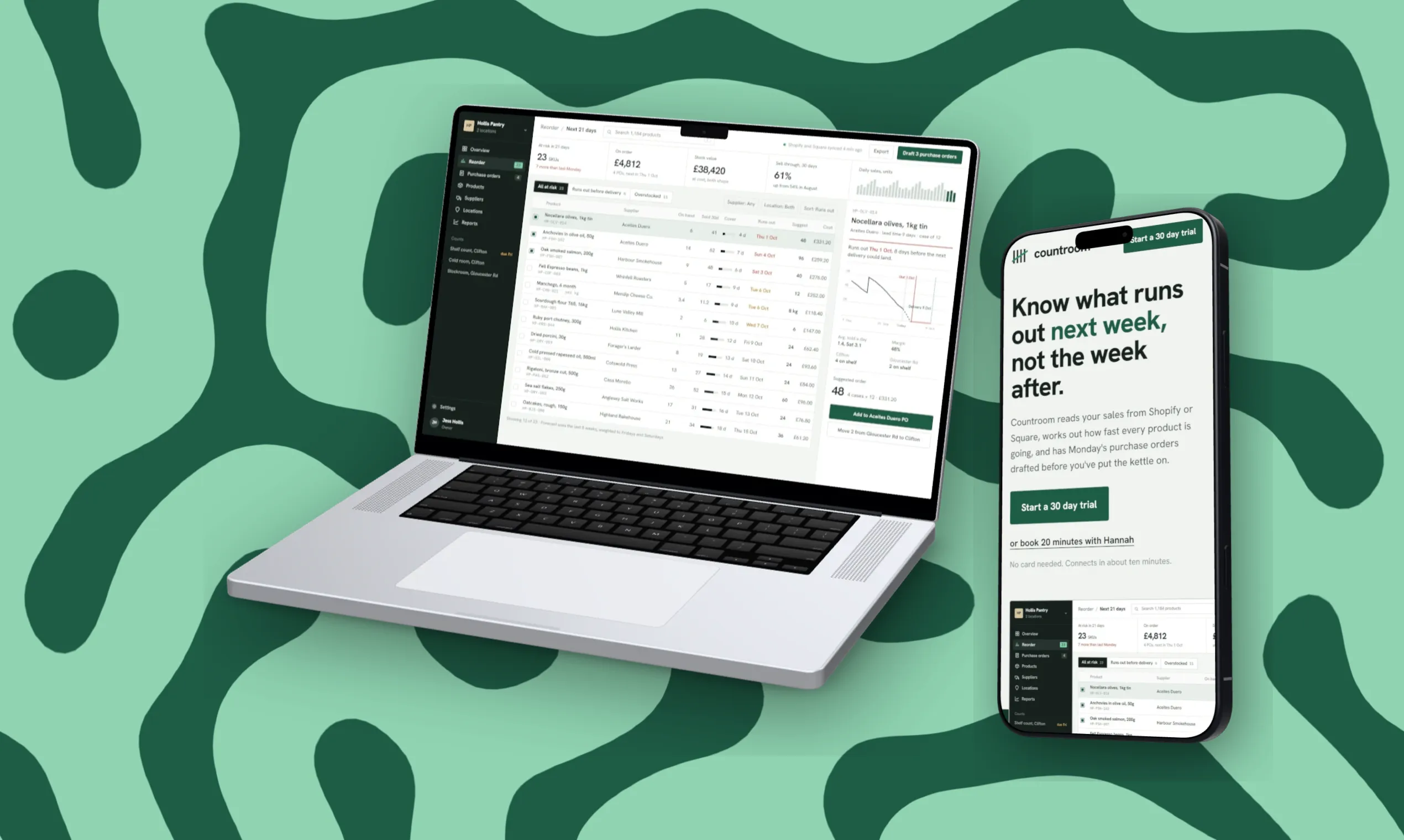
A running order for five images
- What it is. The main screen, on the device people will use it on, with one line.
- The main feature, close up. Crop in so the interesting part is big enough to read.
- How it fits in. The integration, the import, the thing that saves time.
- Mobile. The phone view on its own, if you have one.
- Proof or price. A number, a quote from a user, or the pricing page.
Make them look like a set: the same backdrop colours, the same device, the same corner of the canvas for any text. People flick through a gallery quickly, and a set reads as one story.

How to make the gallery in DudeShots
- Size. Open the studio, go to Size and set a custom size of 1270 × 760.
- Shot. Drop in a screenshot, or paste your site's address to capture it. A viewport capture is free; folds, sections and full page are Pro. See URL to screenshot.
- Device. Pick a browser, MacBook or phone. Flat devices are free. 3D devices are Pro, and on Free you can try them with a small preview tape on the export.
- Backdrop. Start from "Made for your shot" so the colours come from your own screenshot, then keep that backdrop for every image in the set.
- Layout. For the laptop-and-phone first image, go to Layout, then On the canvas, then Add a device, and pick Phone. It takes the next shot in the strip. Arrange them with Hero. Several devices on one canvas is Pro; Free can build it and see it with the preview tape. The responsive mockup guide goes through this step by step.
- Callouts. Add a Headline for your one line. Headline, Tape sticker and Note with arrow are free.
- Export. 2× gives you 2540 × 1520. Pick JPEG if a PNG comes out over 3 MB.
Then change the shot, keep everything else, and export again. Five images take about as long as one.
The thumbnail
The 240 × 240 thumbnail sits next to your name in the feed, tiny. Use your logo or app icon on a solid colour. A screenshot at that size is just a grey smudge. A short GIF is allowed if it stays under 3 MB and doesn't flash.
Mistakes that cost upvotes
- A 16:10 screenshot uploaded as-is, with bars or a crop through the navigation.
- Text so small it can't be read in the gallery view.
- Five images in five different styles.
- A first image that shows the logo and nothing else.
- Forgetting the share image. When people post your launch link, the preview comes from your own site's Open Graph image, so check the 1200 × 630 card too.
Sources: Product Hunt Help Center, "How to post a product" (thumbnail, gallery, video and demo rules), checked September 2026.