

Next up
The shot list: what's on set now, what comes after, and the ideas still pinned to the wall. No dates. When something ships it moves to What's new.
On set now
Scenes
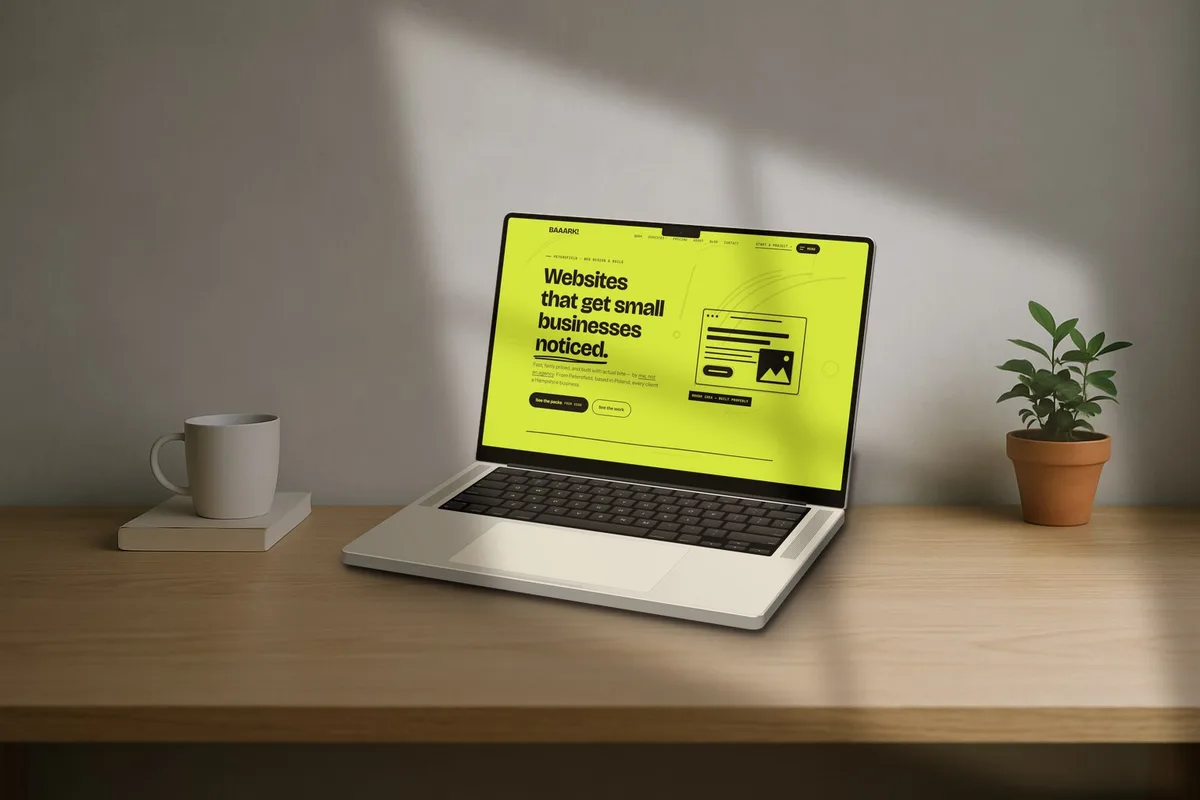
Put your device on a real desk, a café table, a shelf or a wall. Pick a scene and the device lands in the right spot, at the right size and angle, with a shadow where it touches the table.
- A library of scenes to start with
- Or use your own photo: drag the table line and the light into place
- Window light you place yourself, falling across the room and the device alike
- Everything else still works on top: callouts, watermark, Surface
Next
Planned and worked out. These come after Scenes, roughly in this order.
- 02Pro
Scroll reels
Your whole page scrolling inside the device, pausing at each section. Export as MP4 for social, GIF for a README.
- 03Free and Pro
Product shots
A transparent product photo (a bottle, a trainer, a mug) in place of a device, with shadows that follow its shape.
- 04Pro
Mockups from your own code
An API key on your account page, so a script can send a screenshot and get the finished mockup back.
- 05Everyone
Reorder shots by touch
Drag thumbnails in the filmstrip on phones and tablets, the way you already can with a mouse.
On the wall
Ideas we like but haven't planned. Some will happen, some won't. Tell us which one you'd use.
- 06Pro
Click-through videos
A cursor that clicks through your app, step by step, with a ripple on each click.
- 07Pro
Devices turning while the page scrolls
A slow camera move with the scroll reel, laptop and phone in sync.
Wrapped
Recently crossed off the list.
Want something on the list?
Tell us what you'd make with it. The ideas that come up most move up the wall.