

Mockups for teams and agencies
One look for everyone who makes your mockups: shared presets, your watermark on every picture and your brand colours one click away. No per seat billing.
Free to start. No signup to try. Nothing stamped on your exports.
What the mockups for teams does
When three people make the mockups, you get three looks: one person's brick red is another's orange, the logo sits in a different corner each time, and the launch post doesn't match the case study. A team in DudeShots fixes that by sharing the decisions once.
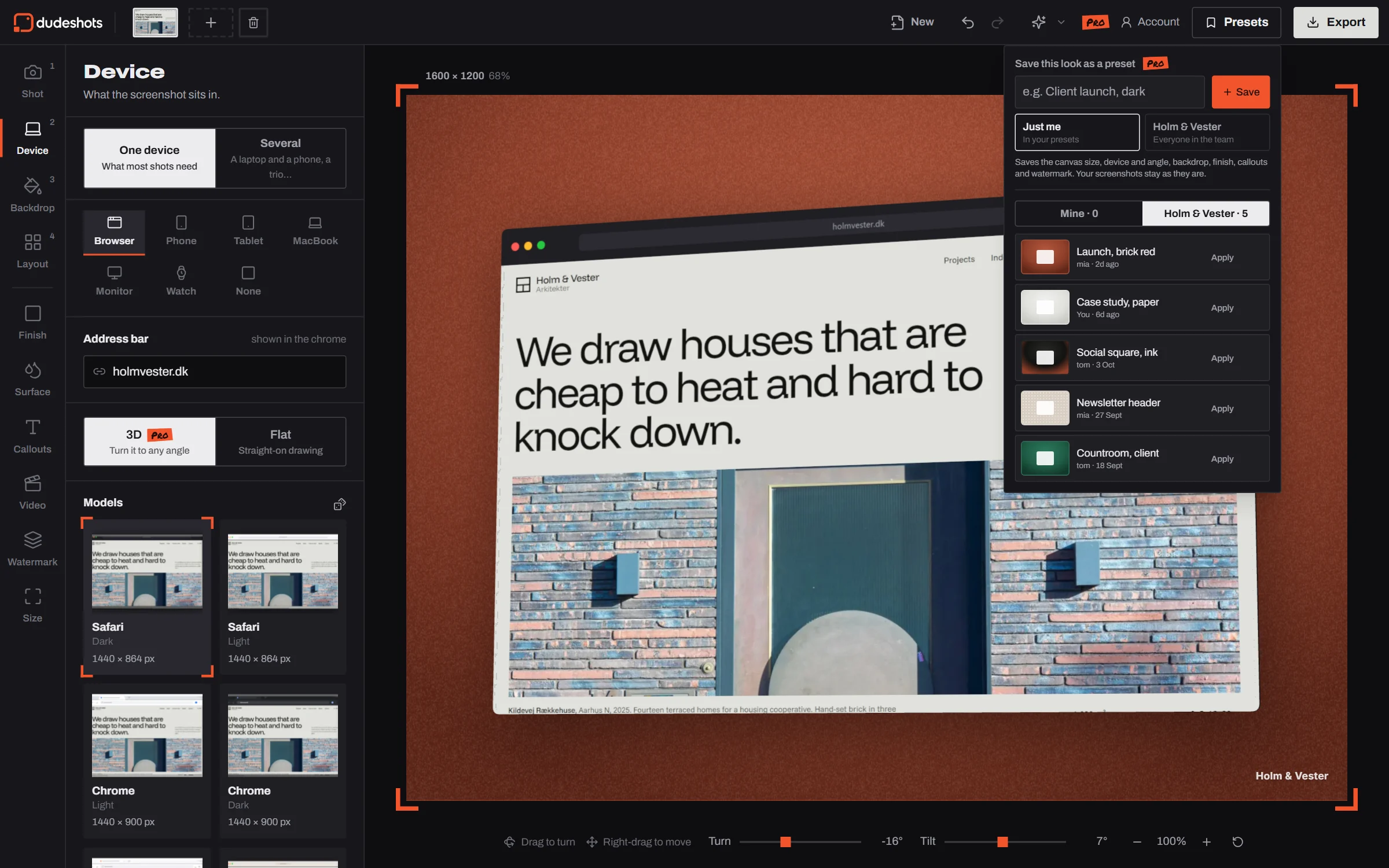
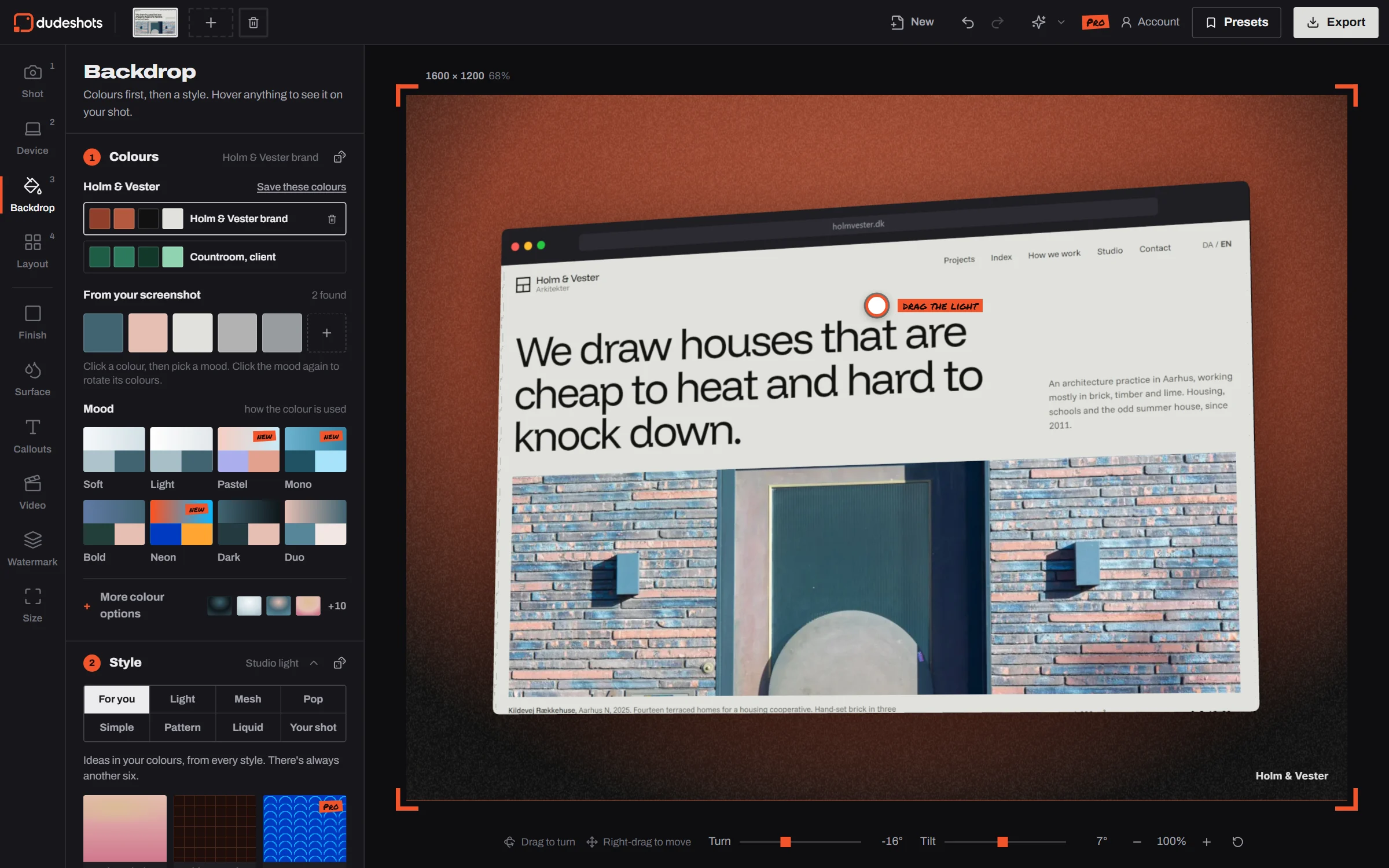
The owner starts the team from their account page and invites people by email. Everyone in it gets the team's presets in the Presets menu, its watermarks in Watermark and its brand colour sets at the top of Backdrop. Save a look for the team as you save a preset, and it's there for everyone.
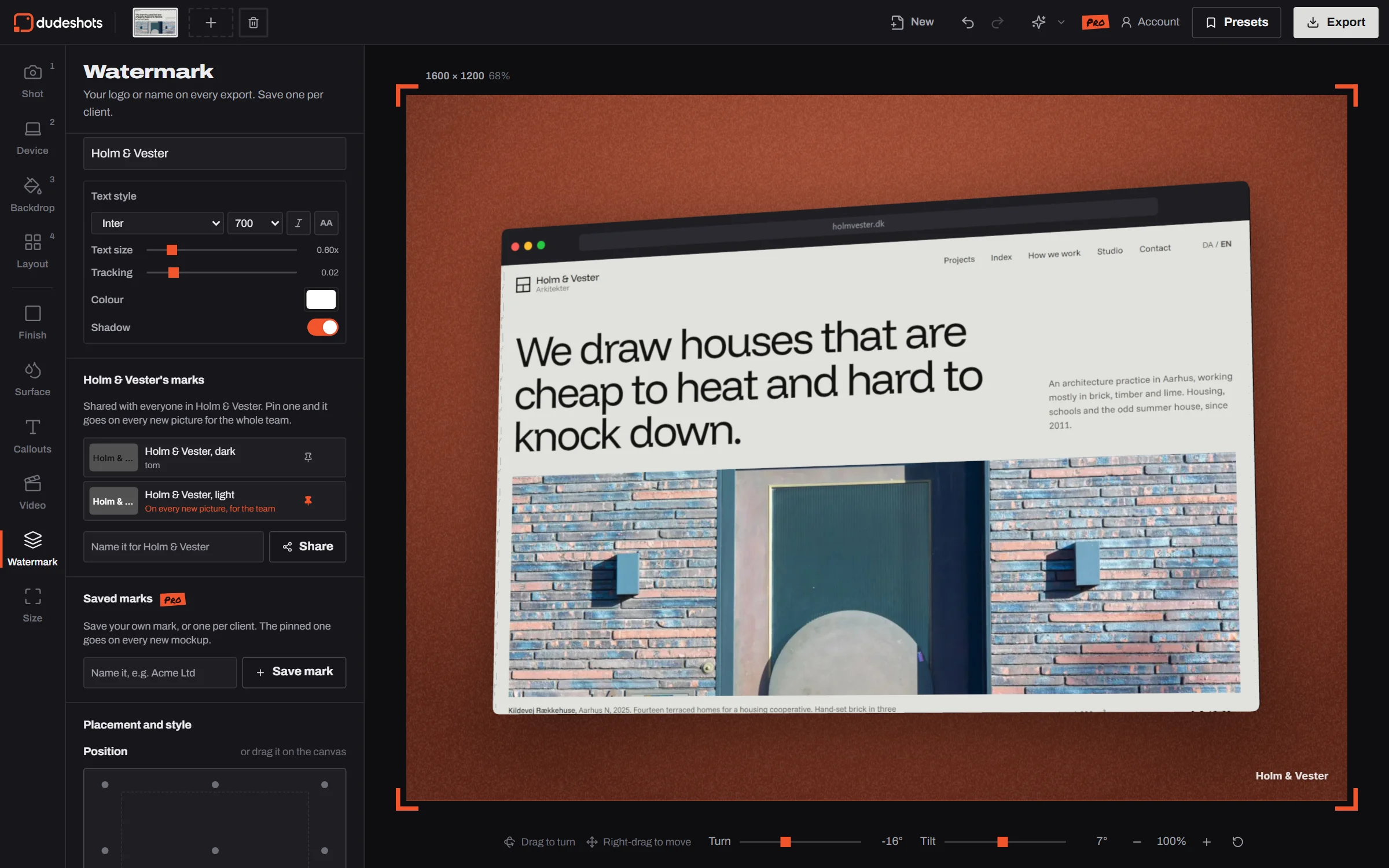
Pin one of the team's marks and it goes on every new picture for the whole team, unless someone has pinned their own. Agencies keep a set of colours per client, so switching from one client's launch to another's is a click.
There's no team billing. Starting a team is part of Pro; joining is free, and everyone keeps their own plan. A member on Free uses everything shared, and a preset with Pro options in it shows them their own shot with it first, like any Pro option.
What a team shares
How to use the mockups for teams
- 01
Start a team
On your account page, name the team and invite people by email. The link works for 14 days.
- 02
Share the look
Save presets, marks and colour sets for the team from the studio as you'd save your own.
- 03
Everyone's on brand
Teammates open the studio and find it all there, with the team's mark on new pictures.
Mockups for teams features
Shared presets
Whole setups (device, angle, backdrop, finish, callouts, watermark) in a team tab, each with who saved it.
A pinned team mark
Your logo or name on every new picture, for everyone in the team.
Brand colour sets
The team's colours first in Backdrop, one set per brand or client.
Up to 10 people
Invite by email. Anyone can join with a free Dude account.
No per seat price
Pro for whoever runs the team; members keep their own plan, Free or Pro.
Follows you around
Your own presets and marks are on your account too, on any computer you sign in on.
Straight answers.
- How much does a team cost?
- Nothing extra. Starting a team is part of Pro (£45 a year or £5 a month). People you invite join for free and keep their own plan.
- Can someone on Free use the team's presets?
- Yes. They get every shared preset, mark and colour set. A preset that uses Pro options (a 3D device, Surface, a Pro backdrop) shows them their own shot with it before they decide; devices show flat on Free.
- How many people can be in a team?
- Up to 10 for now, including the owner. Each person can be in one team.
- Who can delete what's shared?
- Whoever saved it, and the team's owner. The owner can also remove people, and delete the team.
- What happens if the owner stops paying?
- The team stays and everything shared keeps working. New invites and saves to the team wait until the owner is back on Pro.
- Is a team the same as sharing a login?
- No, and don't share logins. Everyone signs in as themselves, so the owner can see who's in the team and remove anyone.
Try the mockups for teams free.
Starting a team is part of Pro (£45 a year or £5 a month), and every new account gets a free Pro week. Joining a team is free: everyone keeps their own plan.